
Reporting
Know what the month looked like before your accountant asks
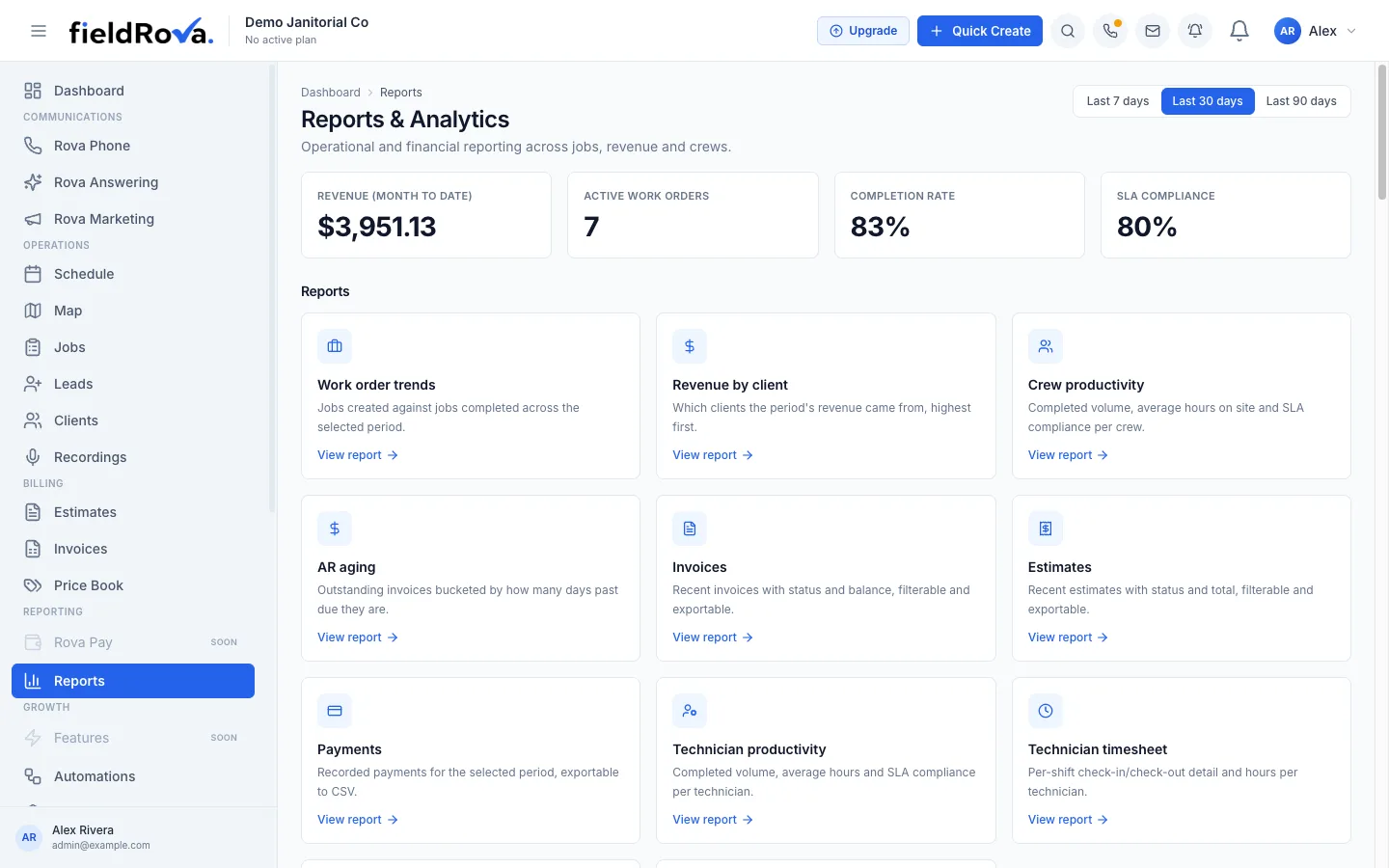
Which clients owe you, which crew finishes on time, which jobs actually made money. Reports & Analytics answers those over the last 7, 30 or 90 days, and most reports export to CSV.
Why it helps
The numbers you check most
The headline numbers first
Revenue, active work orders, completion rate and SLA compliance sit at the top of Reports, so the quick check takes seconds.
See who is carrying the load
Compare completed jobs, average hours on site and on-time performance across each crew and technician.
Your own questions, saved
Build a custom report from a data source, then choose columns, filters, grouping and sorting. Save it and export it when you need it again.
Reports
What you can see
- 7, 30 or 90 day views
- Work order trends and revenue by client
- AR aging for unpaid invoices
- Invoice, estimate and payment reports
- Crew and technician productivity
- Job profitability: revenue, material cost, labor cost, profit and margin
- Timesheets with check-in, check-out and hours
- Timesheet corrections with a written reason, by an Owner/Admin
- Custom reports you can save and export to CSV
Advanced reporting comes with the Pro plan. See Pricing.
Using reports
From question to spreadsheet in four steps
- 1
Choose the window
Look at the last 7, 30 or 90 days.
- 2
Open a report
Start with revenue by client, AR aging or crew productivity.
- 3
Dig in
Build a custom report with just the columns, filters and grouping you need.
- 4
Export it
Download to CSV to hand to your bookkeeper or open in a spreadsheet.
See how the business is really doing
Run your first report on last month's jobs, or ask our team what reporting your plan includes.