
Scheduling & Dispatch
Fill the day without double-booking it
Double-booked on a no-cool Tuesday, with a tech sitting idle on the other side of town. Put every job, team and open hour on one schedule, and move work by dragging it instead of calling around.
From call to truck
Four ways to see the same day
Schedule, dispatch board and map all read the same jobs. Move a job in one place and it changes everywhere.
See who is free before you promise a time
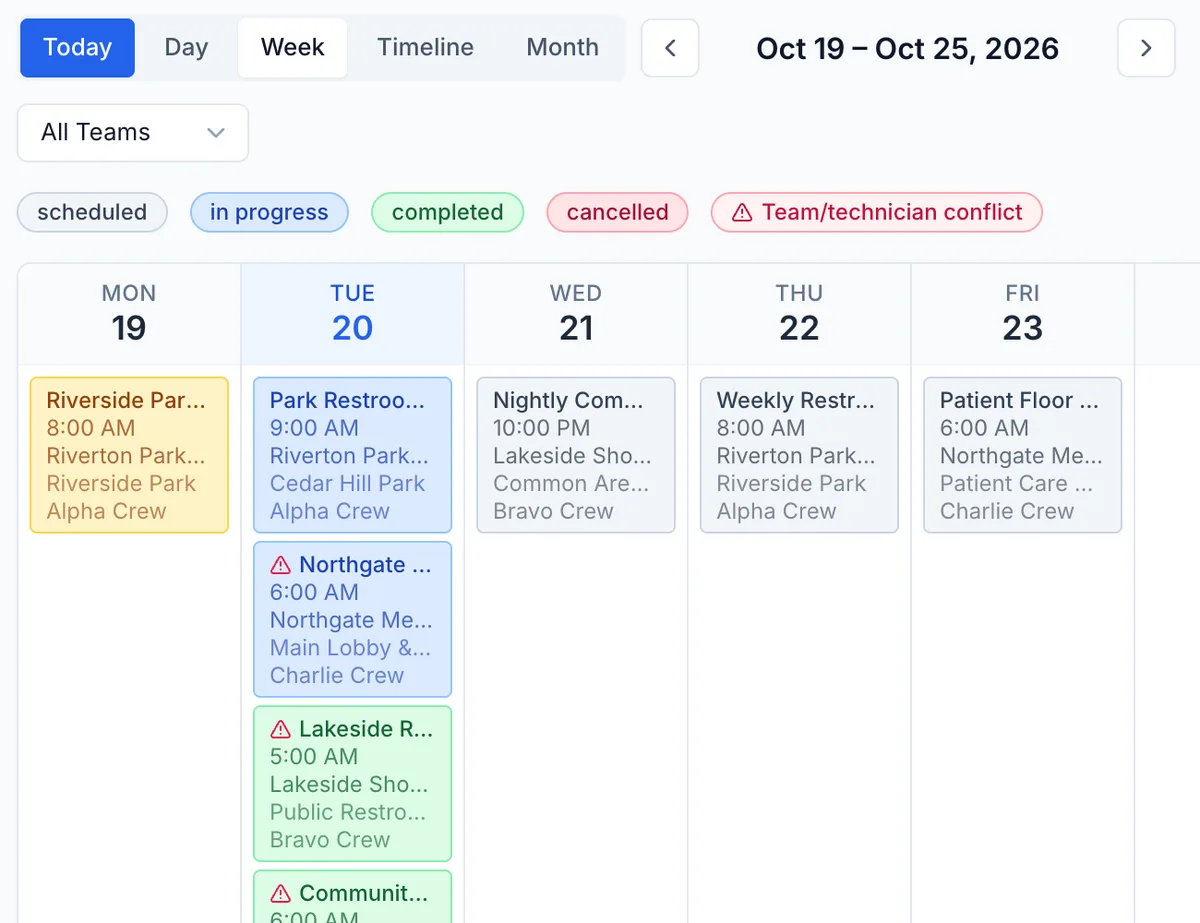
Day view gives each team a column by the hour. Timeline lays teams out in rows. Week and Month show what is coming. When a customer asks for Thursday afternoon, you check the board instead of calling around.
Run the morning from the dispatch board
Dispatch shows one day by team, with each job's status, start time, client and technician. Jobs without a date wait in the Unassigned Queue until you drag them onto a team.
Group the day by neighborhood
The Map plots the day's jobs as pins, filtered by status, team or technician. Spot three jobs on the same side of town and put them on one truck. It shows where the jobs are, not live technician locations.
Keep the booking page and the board in step
When online booking is on, a client who books a service and a time becomes a scheduled job, and the request waits for your review. Business hours and technician time off keep them from landing on someone's day off.
In the field
Dispatchers run the company. Technicians get their own day.
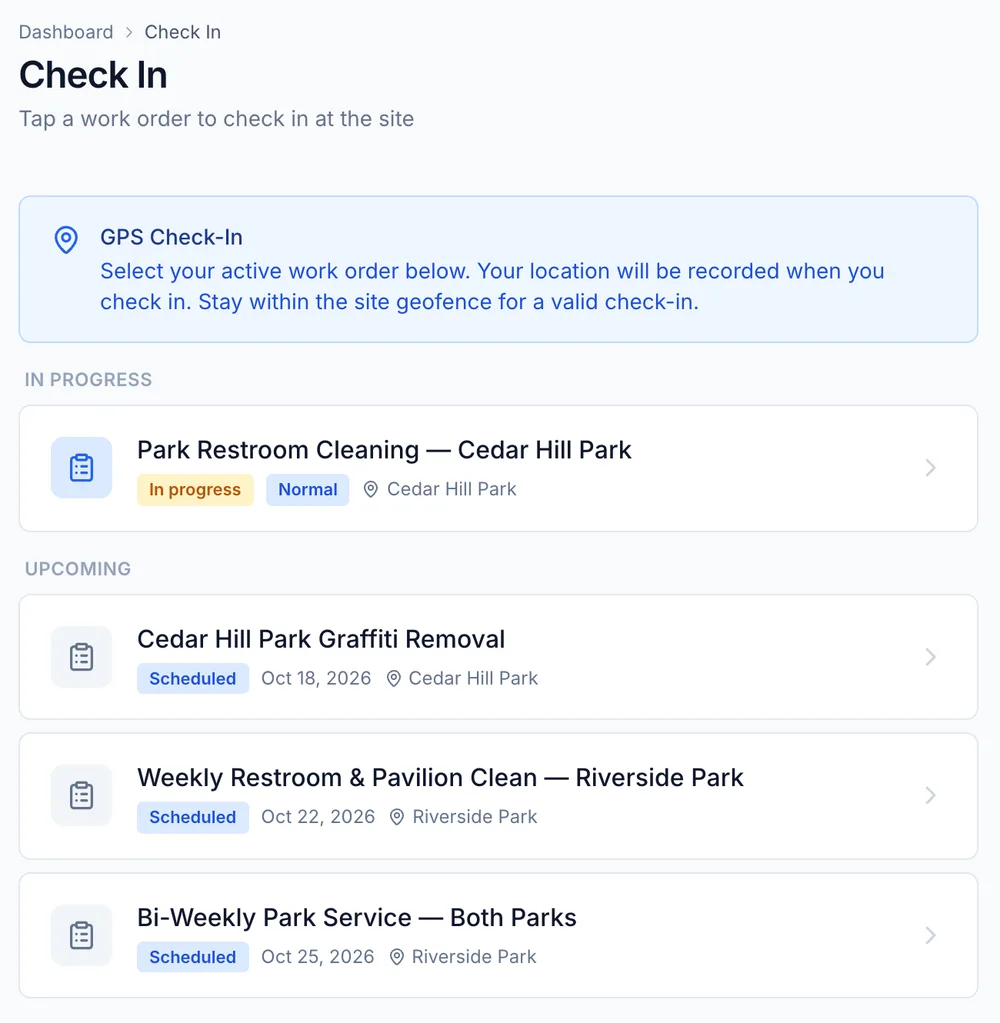
Owners and managers see and move every job. A technician opens only the jobs assigned to them or their team, on the web or in the mobile app, which is rolling out in stages, and checks in with GPS when they arrive.
- Day, Week, Timeline and Month views, with a filter for one team
- A dispatch board with one lane per team and an Unassigned Queue
- Drag a job to a new time or team, or back to the queue to unschedule it
- A warning on any job that double-books a team or technician
- Weekly hours and time off for each technician, so you can't book them when they are out
- Business hours you can enforce on the schedule
Try next Monday on a real schedule
Create an account and load next week's jobs, or ask our team how to set up teams, hours and time off for your crews.